See it work — in 60 seconds.
Pick a real design system below, download the exact files your AI tool reads, and paste them in. Your next Lovable, Cursor, v0, or Bolt build comes out a coherent brand. No sign-up, no install.
Pick a starting vibe
8 real, generated systems. Choose the one closest to your brand — you can tune the tokens after.
Download the files — Kinstler
The exact, byte-for-byte export — same as a live generation. The DESIGN.md follows Google's open design.md standard.
.cursor/rules/design-system.mdc
Cursor — Save under .cursor/rules/ (Project Rule)
CLAUDE.md
Claude Code — Drop in your project root
AGENTS.md
Codex · Copilot · any agent — Repo root — the cross-agent standard
skills/kinstler-design-system/SKILL.md
Agent Skills — Auto-loads for UI work (Claude Code, Lovable)
DESIGN.md
Lovable · v0 · any — Paste as design context
The whole pack, exact paths
Unzip at your repo root — every file lands where the tools look.
The .zip keeps the exact paths (including .cursor/rules/ and skills/) — unzip at your repo root and everything lands where the tools look. It also includes a legacy .cursorrules for older Cursor setups.
Use it in your tool
You just picked up a brand system. Now make your AI tool build with it.
Three steps: pick your tool → add 1–2 files → paste the starter prompt.
What did I just get?
DESIGN.md— the brand's rulebook, written for AI tools (open design.md format). The single most important file.CLAUDE.md— the same rules packaged as always-on context for Claude Code..cursor/rules/design-system.mdc— the same rules as a Cursor Project Rule, always applied. (A legacy .cursorrules is included for older setups.)AGENTS.md— the same rules for any coding agent — Codex, Copilot, Jules, Gemini CLI.skills/…/SKILL.md— an Agent Skill your tool auto-loads whenever it does UI work.tokens.css— every color, font, size, and spacing value as CSS variables.tailwind.config.js— the same tokens as a Tailwind theme.tokens.dtcg.json— the same tokens in the W3C Design Tokens format (Figma, Tokens Studio, Style Dictionary).components.css + showcase + React components— the brand's UI parts, ready to use.Style guide (HTML)— the human-readable reference you open in a browser.Brand preview (HTML)— the full scroll demo of the brand in action.
Pick your tool
Lovable
- Open your project's knowledge / custom-instructions area and paste the full contents of DESIGN.md. (No knowledge area on your plan? Paste DESIGN.md at the top of your first message instead.)
- Then prompt with the starter prompt below.
Files: DESIGN.md (paste) · tokens.css (attach or paste if asked for exact values)
The starter prompt
Before writing any code, read the Kinstler design system files in this project (DESIGN.md and tokens.css; plus CLAUDE.md / AGENTS.md / .cursor/rules if present). Build: [describe what you're building]. Every color, font, size, spacing, radius, and shadow must come from the design system — use the CSS variables from tokens.css and never introduce values that aren't in it. Follow the system's rules and anti-patterns exactly. If a component exists in the system (buttons, cards, inputs, badges), use its specified style rather than inventing one.
Did it work?
Ask your tool: “What's this brand's accent color hex and display font?” If it answers with your system's exact values, it's loaded — everything it builds now starts from your brand. If it guesses generic values, re-add the files from step 2.
Built something already? Run a Brand Check — upload a screenshot and get the drift as copy-paste fixes.
Using Claude Code or Cursor? Skip the file shuffle: connect the Wadevo MCP server (Settings → Agent access) and your agent reads this system mid-build — exact hexes, fonts, and rules on demand.
You own these files. They work in every tool, today and next year. That's the point.
Want one from your own vibe? Create an account — 3 free.
One page. One AI. Whoever you are.
One SaaS landing page — the same copy, the same AI — built four times. First with no design system: the AI picks its own look (perfectly nice, and the same taste everyone else gets). Then three more times, each with a different DESIGN.md from this gallery. The product never changed. The owner did.
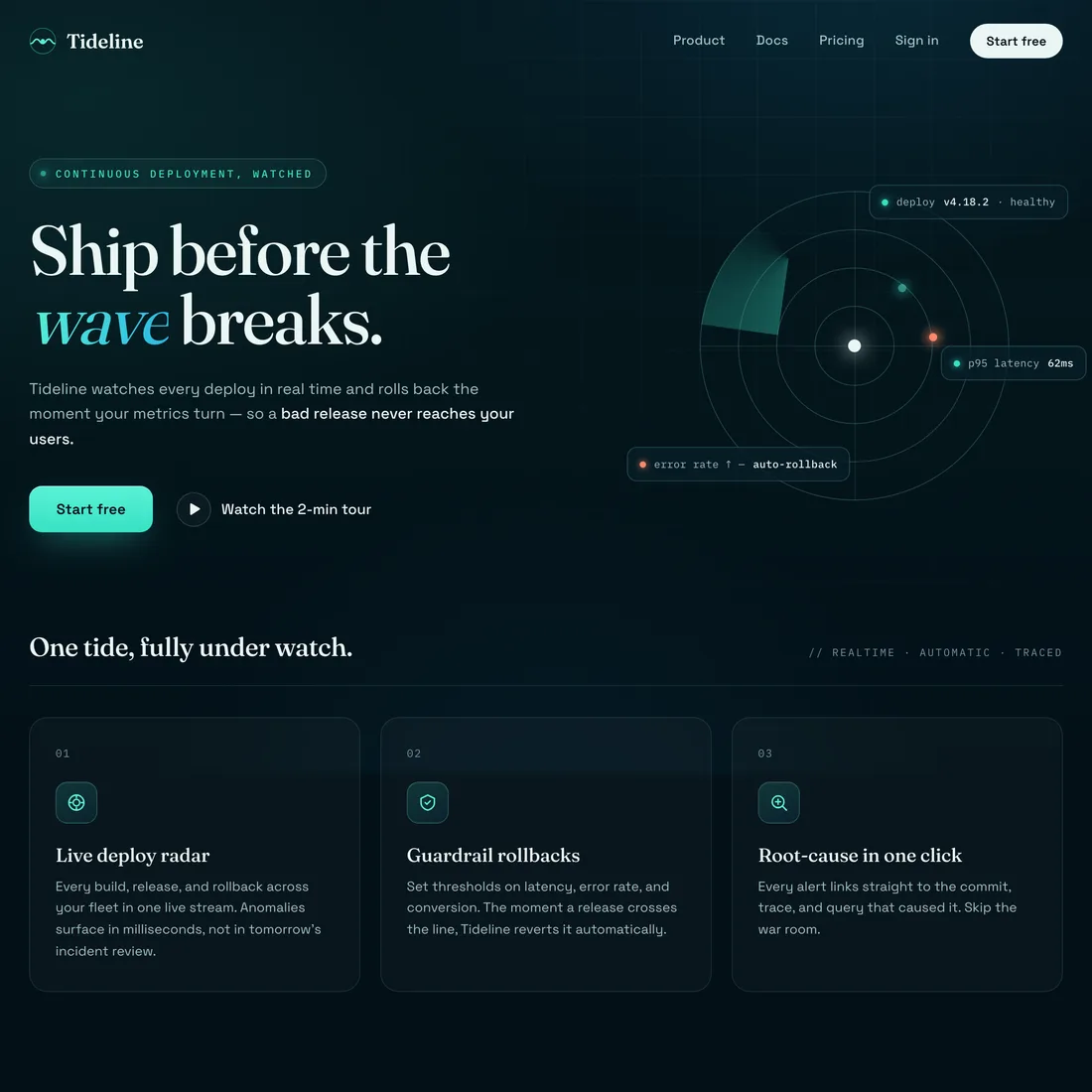
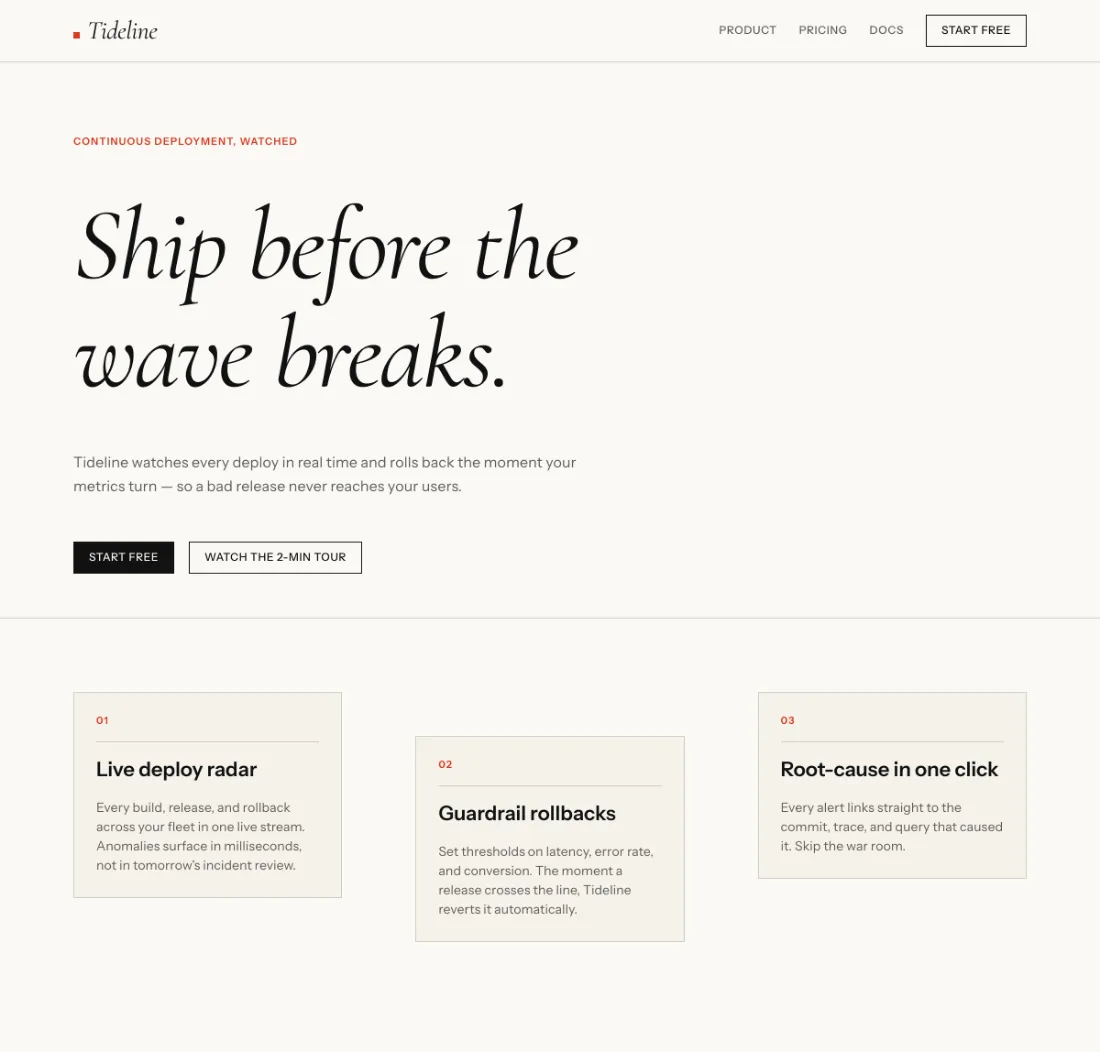
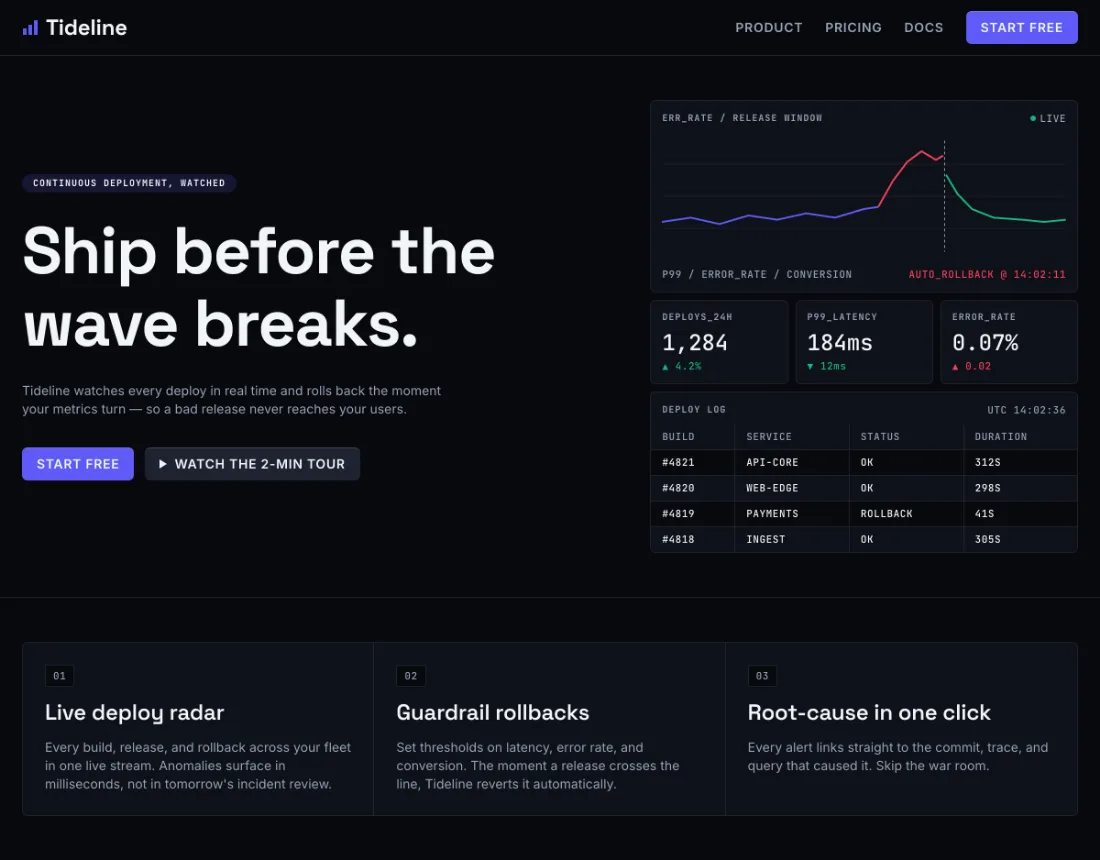
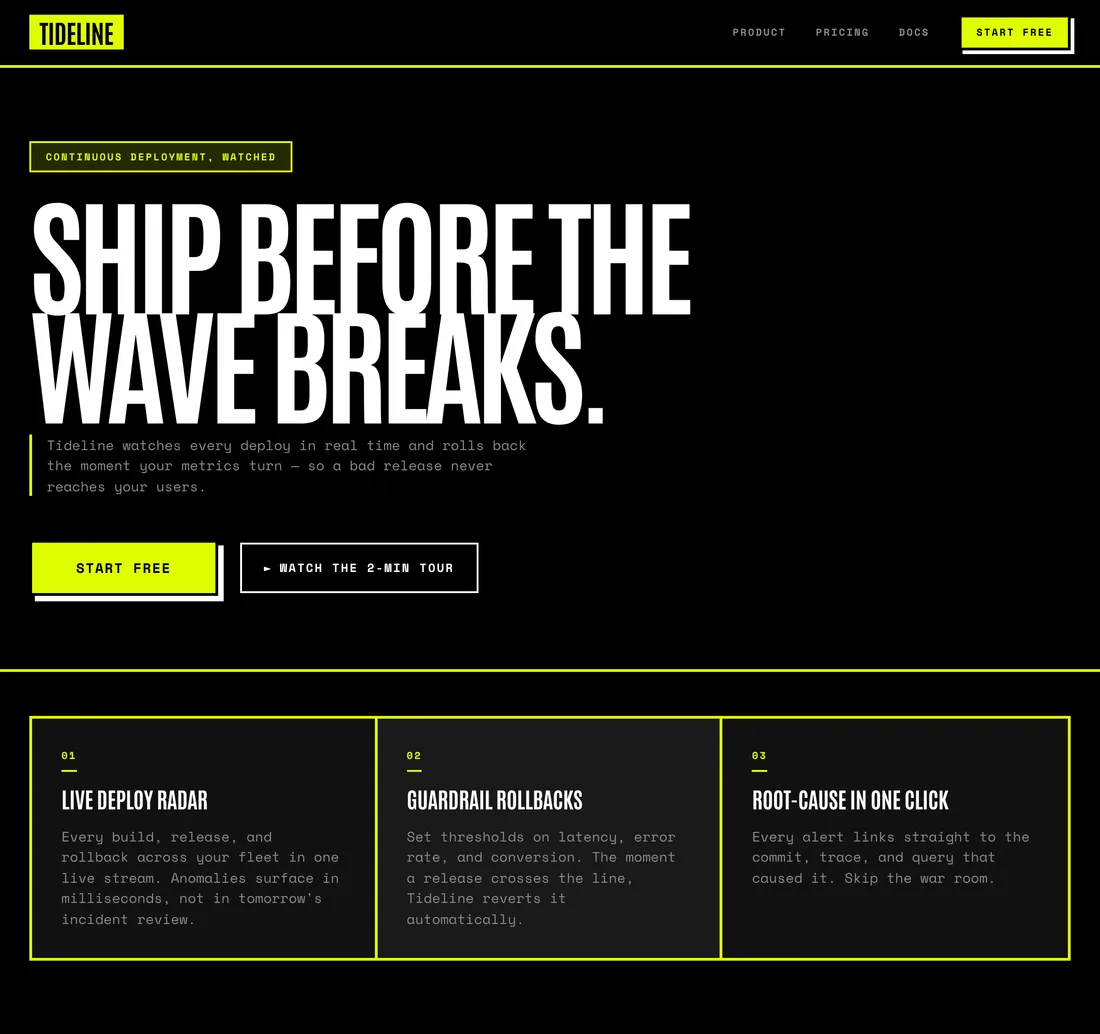
A demonstration, held honest: the copy stays constant across all four builds, so the only thing changing is the design system. Each branded build was scored against its own system by Brand Check and verified on-brand (85–94 of 100). Try it yourself above.
Want this for your exact brand?
These eight belong to everyone. Yours takes one sentence — or a screenshot — and it's unmistakably yours.